


IP Gateway (Video)
In modern video systems, moving signals reliably between legacy interfaces, production networks, and IP-based workflows is often just as important as image quality itself. When a facility needs to connect cameras, routing equipment, recorders, or monitoring infrastructure across different transport environments, the right IP Gateway (Video) helps bridge that gap with practical flexibility.
This category focuses on devices used to convert, route, or interface video streams within an IP workflow. For broadcast, inspection, monitoring, and professional AV environments, these gateways can play a key role in making existing equipment work alongside newer network-based systems without forcing a complete redesign of the entire signal chain.
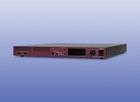
Where an IP video gateway fits in the signal chain
As video environments become more interconnected, engineers often need a practical way to move signals between different formats, devices, or network segments. A video IP gateway is commonly used where direct compatibility is limited, especially in systems that combine conventional video hardware with newer Ethernet-based transport architectures.
In real-world applications, this can include contribution links, remote production, centralized monitoring, control rooms, lab environments, and industrial imaging setups. Rather than treating the gateway as a standalone endpoint, it is more useful to view it as a signal integration layer that helps keep acquisition, transport, and recording equipment working together.
Typical applications in professional video environments
IP gateways are often selected when a project needs stable video transport over a network while maintaining interoperability with upstream or downstream equipment. This is especially relevant in facilities that are gradually transitioning to IP rather than replacing every component at once.
Depending on the workflow, these devices may support point-to-point transmission, distribution across internal networks, signal extension, or integration with video processing systems. In some setups, they are used alongside a video recorder to capture streams after conversion, while in others they sit closer to source equipment or network edge infrastructure.
How to evaluate the right gateway for your system
Choosing an IP gateway starts with understanding the broader video path rather than looking at the gateway alone. Buyers typically need to confirm the signal type at the input and output, the expected transport method, latency tolerance, network conditions, and how the device will interact with switching, monitoring, or recording equipment already installed.
It is also important to consider whether the gateway will be part of a fixed installation or a more modular setup. In compact systems, a gateway may act as a simple interface bridge. In larger deployments, it may need to fit into a wider ecosystem that includes storage, visualization, synchronization, and analysis tools.
Integration with adjacent video equipment
An IP gateway rarely operates in isolation. It often works together with other categories of video infrastructure that support acquisition, processing, conversion, or display. For example, systems that handle advanced image generation or transformation may also involve devices such as a video rasterizer when signal preparation or rendering is part of the workflow.
Likewise, some environments require signal buffering or image sequence handling before or after network transport. In those cases, related devices such as a frame memory board can become relevant within the wider architecture. Understanding these neighboring device roles helps buyers choose a gateway that fits operational needs instead of solving only one isolated connection problem.
Why IP gateways matter in hybrid migration projects
Many organizations are operating in a hybrid video infrastructure where traditional video equipment and IP transport must coexist. This is common in broadcast modernization, industrial video monitoring, education facilities, and test environments where legacy investments remain useful and technically sound.
In these cases, an IP gateway helps reduce disruption during upgrades. It can support phased migration, preserve compatibility with established devices, and make it easier to expand networked workflows over time. That approach is often more practical than attempting a single large-scale transition with unnecessary downtime or replacement costs.
Key considerations for long-term deployment
Beyond immediate connectivity, long-term use depends on how well the gateway fits operational requirements such as maintainability, interoperability, physical installation constraints, and future workflow changes. Technical teams should think about network design, device management, service access, and how the gateway will be supported as the system evolves.
It is also worth considering adjacent expansion paths. For example, facilities that are increasing network-based video transport may later add equipment for remote transmission or distribution, such as a video transfer box. Planning around the broader ecosystem can help avoid bottlenecks and reduce reintegration work later.
Choosing with application context in mind
The most effective selection process starts with the use case: production, monitoring, transport, archiving, lab testing, or multi-device integration. Once that context is clear, it becomes easier to evaluate whether a gateway should prioritize conversion, routing flexibility, deployment simplicity, or compatibility with existing network and video equipment.
This category is most useful for buyers who need a dependable way to connect video signals across system boundaries. By focusing on workflow requirements, interface compatibility, and the surrounding equipment ecosystem, it becomes easier to identify an IP-based video gateway that supports both current operations and future expansion.
-
-
-
-
-
-
-
-
-
-
-
-
-
-
-
-
-
-
-
-
-
-
-
-