


Receipt Printer
Fast, legible receipts are a small detail that has a big impact on daily operations. In retail counters, hospitality environments, mobile selling points, and even measurement workflows that require printed records, the right printer helps reduce waiting time, improve transaction accuracy, and keep documentation consistent. This page brings together Receipt Printer options suited to different working styles, from compact thermal units for POS setups to portable models and dedicated printers used with weighing or measurement equipment.
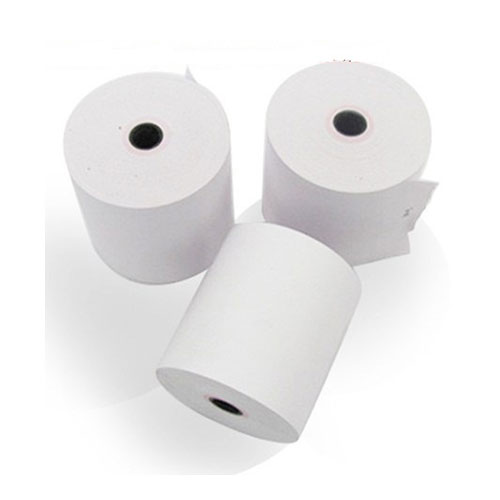
Where receipt printers are commonly used
A receipt printer is not limited to checkout desks. In practice, these devices are used in stores, restaurants, ticketing counters, service stations, warehouse points, and mobile field operations where a printed receipt, label, or transaction slip is still an important part of the workflow. Some models are also used alongside weighing systems or portable instruments that need immediate paper output.
This is why the category includes more than one device style. If your priority is front-desk billing, a fixed desktop unit may be the right fit. If operators need to print on the move, a compact mobile model can be more practical. And if your application overlaps with tags or product identification, it may also be useful to explore barcode printer solutions for related tasks.
Main printer types in this category
Most buyers start by narrowing the selection based on printing method and installation style. Thermal receipt printers are widely used because they are fast, quiet, and do not require ink ribbons in normal operation. This makes them suitable for high-volume POS environments where ease of maintenance matters as much as print speed.
There are also specialized and portable formats. The Zebra ZQ310 and ZQ320 series, for example, are designed for mobile receipt and label printing, making them relevant for delivery, queue busting, field service, or temporary counters. On the other hand, products such as the Vibra Shinko CBM-910II Printer or the MITUTOYO 264-505E Printer fit more specific technical workflows where instruments or weighing devices need a direct printout.
If your application is centered on heat-based paper output in general, you can also review the broader thermal printer category for additional context.
What to evaluate before choosing
The first practical factor is print speed and readability. Busy counters often benefit from higher throughput, especially when receipts include barcodes, logos, or multiple line items. Models such as the Bixolon SRP-350IIICOG/DEN POS Receipt Printer and Bixolon SRP-E302 series are examples of thermal receipt printers built for regular transaction printing, where speed, stable paper handling, and clear output are all important.
The second factor is media size and print width. In this category, some products are clearly oriented to standard receipt formats, while others support compact labels or narrower mobile output. For example, the CAS DEP-5524 label paper shows that media compatibility should be checked together with the printer itself, especially when the system is tied to a specific scale, indicator, or POS configuration.
Connectivity is equally important. Depending on the printer, you may need USB, serial, Ethernet, or a mobile-friendly setup. Before ordering, it is worth confirming how the device will communicate with your POS terminal, PC, scale, or measurement unit, and whether your workflow requires a fixed location printer or a battery-powered unit.
Examples of product roles across different workflows
For conventional receipt printing at a cashier station, Bixolon models in this category are a practical reference point. The SRP-350IIICOG/DEN is positioned as a POS receipt printer, while the SRP-E302ESK/DEN and SRP-E302K/DEN are thermal receipt and ticket printers suited to routine paper output where reliability and cutter life can affect daily productivity.
For portable applications, Zebra offers compact mobile printers such as the ZQ310 and ZQ320. These are useful when staff need to generate receipts or labels away from the main counter, such as in field service, logistics support, or mobile retail. Their compact form factor is a key advantage when space and portability matter more than desktop installation.
In technical environments, the category also includes dedicated printer accessories and instrument-linked units. The CAS DEP-50 Receipt Printer and CAS DEP-5524 label paper illustrate a scale-related printing ecosystem, while the MITUTOYO 264-505E Printer is more aligned with measurement data output. This makes the category relevant not only to retail users but also to workshops, inspection areas, and industrial processes that still rely on paper records.
Choosing by application instead of by brand alone
Brand can be a useful starting point, but in B2B purchasing the better approach is to match the printer to the actual task. A desktop receipt printer used all day at a POS counter has different priorities from a mobile printer used occasionally in the field. Likewise, a printer connected to a scale or measuring instrument may need compatibility with a specific data interface rather than a long feature list.
For example, Bixolon is relevant when you need established POS-style receipt and ticket printing. Zebra is a strong fit for mobile receipt and label output. CAS and Vibra Shinko are more meaningful when printing is part of a weighing workflow, while MITUTOYO fits measurement-related documentation. Looking at the application first usually leads to a better long-term choice than filtering only by manufacturer.
Receipt printers and related categories
In many projects, receipt printing sits next to other identification and output tasks. A business may print receipts at the counter, barcode labels in storage, and product tags during packing or dispatch. When that is the case, it helps to understand where a receipt printer ends and where another device category becomes more suitable.
If you need printed labels, tagging, or product identification rather than transaction slips, a stamp or label printer may be more relevant. If your requirement is specifically POS billing, the products on this page remain the better match because they are oriented toward quick paper output, compact installation, and day-to-day service use.
Common buying questions
Should I choose a desktop or mobile receipt printer?
Choose a desktop model when the printer stays at a fixed checkout or service counter. Choose a mobile model when staff need to print while moving between customers, vehicles, or workstations.
Is thermal printing enough for most receipt applications?
For many POS and service environments, yes. Thermal printing is popular because it is simple to operate and avoids routine ink replacement, but media compatibility and environmental conditions should still be checked.
Can receipt printers also print labels?
Some products in this category support both receipt and label-oriented tasks, especially portable models or scale-connected systems. However, for dedicated labeling workflows, a barcode or label printer category may be more appropriate.
Final considerations
The most suitable receipt printer depends on how receipts are created in your real operating environment: at a fixed POS desk, from a mobile device, or as part of a scale or measurement system. By comparing print method, paper format, connectivity, portability, and workflow compatibility, buyers can narrow the selection more effectively and avoid overpaying for features they do not need.
This category is built to support that comparison process with products from manufacturers such as Zebra, Bixolon, CAS, MITUTOYO, Vibra Shinko, and Ricoh. If you already know your application, it becomes much easier to identify whether you need a fast desktop thermal unit, a portable receipt printer, or a specialized printer that fits into a technical equipment setup.
-
-
-
-
-
-
-
-
-
-
-
-
-
-
-
-
-
-
-
-
-
-
-
-